Questions, answered.
Everything merchants and warehouses ask about WarehouseSync: setup, orders, inventory, the API, billing and data. Can't find it? Write to [email protected].
Getting started
What does WarehouseSync do?
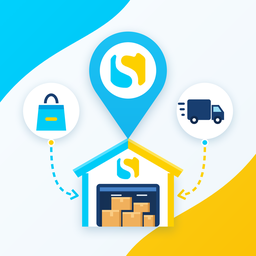
It connects your Shopify store to the warehouse or 3PL that ships your orders. Your warehouse receives the orders it should ship; when it ships, the order is fulfilled in Shopify with tracking and your customer is notified. On Growth and Pro, stock counted in the warehouse also updates your Shopify inventory.
Which warehouses and 3PLs does it work with?
Any warehouse or 3PL whose system can call an HTTPS API. It can read orders as XML or JSON and send back shipments and stock counts. The integration guide shows every request with samples.
Do I need a developer?
Not on your side. You set everything up inside Shopify admin and send your warehouse one setup link. Your warehouse connects its own system to the API, the same way it connects to other stores it ships for.
What does setup involve?
Install the app, pick your warehouse and the Shopify location it ships from, choose a plan, and create a setup link for your warehouse. The warehouse opens the link, copies its API address and secret, and starts pulling orders.
Orders and fulfillment
Which orders reach the warehouse?
Paid orders with items left to ship, assigned to the location you chose. Cancelled, on-hold, unpaid and unshippable orders, and digital items, stay off the feed.
What if an order changes after the warehouse pulled it?
The warehouse is told: a cancellation says stop the shipment, an address change sends the new address, and an item change asks it to re-read the order. You also get an email, so nothing ships that shouldn't.
How does tracking get back to my store?
When the warehouse confirms a shipment with its tracking number, the order is fulfilled in Shopify with that tracking, and Shopify sends your customer the shipping confirmation.
Can I use more than one warehouse?
Yes. Give each warehouse its own Shopify location. Each one gets its own secret and only sees the orders and stock for that location.
Do marketplace orders work?
On Growth and Pro, Amazon, Walmart and Target orders that arrive in Shopify through Marketplace Connect go to your warehouse, tagged by channel. Orders the marketplace fulfills itself, such as Amazon FBA, are not included.
What is bundle auto-close?
On Pro: when your warehouse ships a kit as one item, the other items of that bundle are closed too, so the order doesn't stay half open. You turn it on in Settings.
Inventory
How does inventory sync work?
On Growth and Pro, your warehouse sends stock counts per SKU and location, many in one request, and the available quantity in Shopify is set to match.
What is SKU mapping?
On Growth and Pro: if marketplace orders carry different SKUs than your Shopify products, you map them once and the app translates them to your Shopify SKUs.
Warehouses and the API
How does my warehouse connect?
From the app you create a setup link and send it to your warehouse. The link shows the API address and a secret for your store; the secret is shown once and the link expires after 14 days.
XML or JSON?
Both. Every endpoint is available as .xml and .json, so your warehouse uses whichever its system prefers.
How do I rotate or revoke a secret?
Create a new secret or setup link, give it to the warehouse, then revoke the old one. Both work until you revoke the old one, so there is no downtime. A revoked secret stops working at once.
Are there rate limits?
Yes, per store, so one busy integration can't slow down others: 240 requests a minute by default. A warehouse that goes over gets a 429 with a Retry-After header.
Plans and billing
Is there a free trial?
Yes, 14 days on every plan, once per store.
How am I billed?
Through Shopify. The charge appears on your Shopify invoice, monthly or yearly. Paying yearly gets you two months free.
What if I ship more than my plan includes?
Shipment limits are soft. Your warehouse keeps shipping, and we suggest an upgrade.
Can I change or cancel my plan?
Any time, from Plans & billing in the app. Shopify prorates the change.
What happens if a payment fails?
The connection keeps working for 7 days, so shipping never stops mid-day. After that, paid features pause until the plan is active again.
Data and security
Do you store my customers’ data?
No copies of orders or customer records. Order details are read from Shopify when your warehouse asks for them and passed straight through. Technical request logs without customer details are kept for at most 15 days.
Who can see my store’s data?
Only the warehouse you connect, using the secret you gave it, and our support staff when you ask for help. We never sell data or use it for advertising.
What happens when I uninstall?
The app's access to your store is removed at once and warehouse secrets are revoked. Shopify then sends a deletion request, and we erase everything we hold about the store.